Pdf Alternative For Mac
If you need to edit PDF documents, there are alternatives to the high-priced Adobe Acrobat. We reviewed three of those alternatives alongside Adobe's standard application. Alternatives to PDFwriter for Mac for all platforms with any license Adobe Acrobat DC Adobe Acrobat is a family of application software and web services developed by Adobe Systems to view, create, manipulate, print and manage files in Portable Document.
Open your presentation in PowerPoint and go to the iSpring Converter 8 tab. 3 Click on the Flash Movie button and select an SWF file on your computer to insert. Despite the impression given by the active Display As Icon checkbox, PowerPoint files are not embeddable as objects in Mac Office documents. Nor are any file types other than the 3 Word document options listed in the Insert> Object dialog.  The linked object in the destination file can be updated when the source file is updated.). On the Insert tab, in the Text group, click Object. Click Create from File. In the File name box, type the name of the file, or click Browse to select from a list. If you browse to the file, once you locate it, click Insert. Select the Link check box. In the Control Toolbox, click More Controls, and then click Shockwave Flash Object. NOTE: Shockwave Flash must be installed on your computer for the Shockwave Flash Object to be listed in the Control Toolbox. Draw the control on your slide. The Shockwave Flash Object ActiveX control now appears on your slide. Follow these steps to insert a Flash movie into PowerPoint 2016 using the Developer tab: Open the PowerPoint presentation and select the slide where you want to insert the Flash movie. Access the Developer tab of the Ribbon, and click the More Controls button (highlighted in red within Figure 1 ).
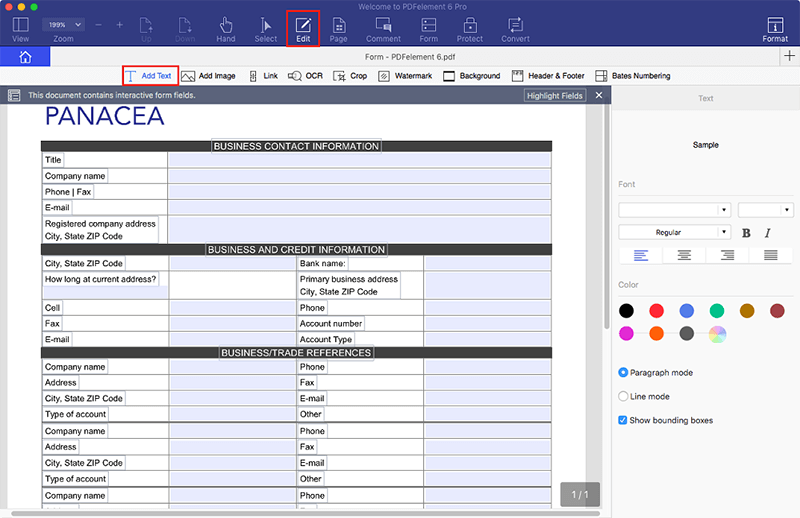
Canon scanner driver for mac. Okular is a suitable Adobe Reader Mac alternative for those who only want to open PDF files and aren’t concerned with their editing. To use Okular on Mac, you first need to install KDE. You can learn how to do so on this page. PDF Expert This is another good alternative to Adobe Acrobat for Mac. Apart from editing PDF, PDF Expert for Mac can also perform other functions such as merging and splitting PDFs, annotating and sharing PDF files, creating PDF forms, and converting PDF to and from other file formats.
Free Pdf For Mac
So, in the world where PDF is natively supported, why would anybody need another PDF viewer(s)? The answer is because Preview can’t do everything, and we can use these alternatives to fill in the holes. This one is a lightweight Mac OS X application to display PDF files. Even though it’s no longer in development, users can still rely on this small app to do one trick or two to rival Preview. First, it will open the document in the maximum size the screen allows and with the optimized zoom level – very convenient for small screen users.
Many organizations such as schools and legal entities have very strict guidelines regarding the margins. Depending on who you're creating the document for, you may have to change the document's margins. • From the Format menu, select Document. How to change the layout of 1 page in word. The window shown below appears. Here's how to change the margins in a Microsoft Word document on your Mac: • Open Microsoft Word on your Mac, and then create a new document.
But of course the settings could easily be adjusted from the Preferences menu. Second, it gives users option to go into the full screen or presentation mode (where the PDF document is the only thing visible on your screen). Some other features are: – integration with LaTeX. – magnification tool: just drag around the document to use it. – page rotation, single or two-page view, and automatic zoom level. Kindle reader for mac wants me to re register itunes.