Remove Paragraph Marks In Microsoft Word For Mac Document
 Formatting marks are a set of symbols that provide a visual representation of specific formatting in a document. Tab characters Display tab characters as arrows.
In the Word Options dialog box, please click Display in left bar, and then check Paragraph marks option in the Always show these formatting marks on the screen section. See screenshot: 3. Click the OK button to save the configuring. From now on, all paragraph marks are displaying in.
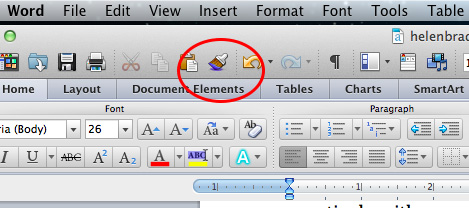
Spaces Display spaces between words as dots. Paragraph marks Display the ends of paragraphs with the paragraph symbol. Hidden text Display a dotted line under text that is formatted as hidden. Mediamonkey for mac download. Optional hyphens Display hyphens that indicate where to divide a word at the end of a line. Optional hyphens are not printed unless a word actually breaks at the end of a line.
When a word breaks at the end of the line, the optional hyphen is printed as a regular hyphen. Object anchors Display object anchors, which indicate that an object is attached to a specific paragraph. Optional breaks Control where a word or phrase breaks if it falls at the end of a line.
Apple may provide or recommend responses as a possible solution based on the information provided; every potential issue may involve several factors not detailed in the conversations captured in an electronic forum and Apple can therefore provide no guarantee as to the efficacy of any proposed solutions on the community forums. Skype for mac os x 10.6.8. Apple Footer • This site contains user submitted content, comments and opinions and is for informational purposes only.
If you use Word with an East Asian language, this option prevents the incorrect breaking of text. This option is available only if an East Asian language is enabled for editing text.
If they're on _every_ line, then you're probably looking at text downloaded from a webpage, and you probably want to remove them so that Word can be a proper word processor. Drivers for mac winamax ac1200 dual band. If the actual paragraphs are separated by two (or more) paragraph symbols, then use Find/Replace (Ctrl-H) to Find two paragraph marks (^p^p) and Replace with something not otherwise used in your document (such as line break, ^l [lowercase L]), then Find/Replace every paragraph mark (^p) with a space (type spacebar in the Replace with box), then Find/Replace each line break (^l) with a paragraph break (^p).