What Is The Best Pdf Creator For Mac
The easiest way to make a PDF is to design it in a program you’re familiar with (like a free word processor, desktop publishing application or photo editor), then export it in PDF format. However, that isn’t always possible. You might be using a program that doesn’t offer PDF as an option, you might want to create a PDF from a web page, or you might have several documents that you want to convert to PDFs at once. That’s where dedicated PDF makers come in. These programs act like a printer driver, and enable you to make PDFs in any application that has a ‘Print’ option. Hp photosmart 7350 driver. That’s not all – a good PDF maker will also include handy features like the ability to split and merge PDFs, extract specific pages, and adjust security settings. Here’s our pick of the best.
To cleanly uninstall Skype of Business on Mac, follow these steps: Log on to your computer by using administrative credentials. Exit Skype For Business on Mac if it’s running. To remove the Skype for Business icon from your Dock, sign out of Skype for Business on Mac. Close the Skype for Business on Mac sign in page. Press Control and click at the same time. Uninstall microsoft skype for business mac.
Best Pdf Creator Software For Mac
To create a PDF document in Mac OS X, you can use Coolmuster PDF Creator Pro for Mac.Microsoft Word, HTML webpages, MOBI and ePub books, image file, CHM, HTML pages, etc. All of them are a common file format in the daily life and work. 
Office suites for mac os x. In fact, as a benefit to renting a Manhattan office space from Jay Suites, a conference room allowance is available to you so you can reserve the meeting rooms on-demand hourly or for the entire day at your convenience.
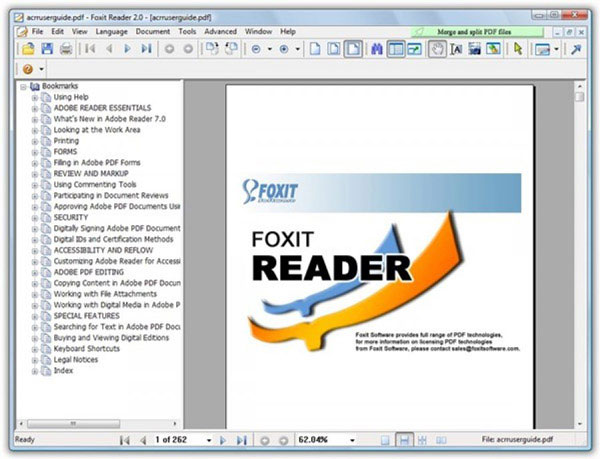
Supports digital signatures is a free home version of a business-oriented PDF maker. It looks smart, is well designed, and is packed with every tool you could possibly need for making your own PDFs. When you use Bullzip to make a PDF, it can tag the resulting document with customizable metadata, including author, title, subject, and keywords. You can apply a custom watermark (including variables such as the current date, page number, PC name, username, and many more), apply a digital signature, append PDFs to converted ones (ideal if you need to tack terms and conditions onto lots of documents, for example), add password protection, and adjust permissions. You can even change the initial zoom level when the PDF is opened, so you can choose a setting that will enable other people to start reading the text immediately without adjusting their PDF viewer first. A couple of options are restricted to the premium licensed software (most notably FTP upload), and your PDF will be watermarked if you use one of these settings, but you’re given plenty of warning if this is going to happen. Bullzip is hugely impressive, and although its interface isn’t as glossy as some, it’s amazingly flexible and offers everything you could need from a PDF maker.