Citrix Receiver Cleanup Utility For Mac
But in Windows 10, Microsoft has confused its users by providing another photo viewer called Photos, which is not liked by users as they are used to with Windows Photo Viewer. Software for mac computers.
The item you are trying to access is restricted and requires additional permissions! If you think you should have access to this file, please contact Customer Service for further assistance.
To be clear, Citrix Receiver is not a standalone product but one of the client components of XenDesktop or XenApp. Citrix Receiver has been wildly installed on Windows, Mac, Android, iOS, Linux, Chrome and many other mainstream devices. It allows users to access full desktops or individual applications from a centralized host, such as a server or cloud infrastructure. Citrix Receiver is mainly used by employees but when they decide to change to another Cloud/Host service, it may give rise to a new problem: How to clean uninstall Citrix Receiver from a Mac computer. Read this article to learn how to completely and quickly uninstall Citrix Receiver from macOS (Learn ). Part 1: How To Manually Uninstall Citrix Receiver on Mac Citrix Receiver has inbuilt Uninstaller utility, so when you need to uninstall the Citrix Receiver for Mac, open the CitrixReceiver.dmg file and select Uninstall Citrix Receiver.
But in many cases, the CitrixReceiver.dmg file may get removed once you finished installing Citrix Receiver. So follow steps below to learn how to uninstall Citrix Receiver manually and how to remove certain Citrix Receiver associated files that might be left behind your Mac system. • • • Step 1: Open Finder > Applications > Find and move Citrix Receiver to Trash.
Hi All, i had done mistake and i am in terrible sutivaton, can you please help me? I uninstall Citrix Receiver in the client PC, and used Citrix Receiver Clean-Up Utility in that PC, the local IT guy did that process, he done that as per my instructions Note:- 1. Before doing below tasks Logoff from QAD and Citrix from internet browser(click on logoff don’t click on Exit) 2. This below task need be done by Local It, who is have below right on the effected user PC. Read, write, and modify access to the local machine registry. Read, write, and modify access to the default user profile on computer.
Read, write, and modify access to%programfiles% citrix on 32-bit systems and%programfiles(x86)% citrix on 64-bit systems. Step 1:- Go to below Web Site (if you are having any doughty please read the complete process in this page) Step 2:- Download Receiver Cleanup Utility Step3:- Do below steps 1. Lightroom for mac download.
Run the Receiver Cleanup utility with administrator privileges. Restart after prompted. Step 4:- Reinstall Citrix Receiver Installing Citrix Receiver on XP PC, i came to know that Citrix Clean-Up utility, won't work on XP pc, now the PC behaviour not good. Can you please provide solution for this, it would be great help, thanks in advance.
Citrix Receiver Cleanup Utility For Mac
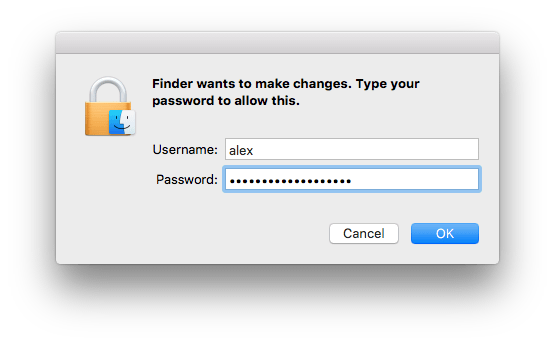
Way 2 – Remove Citrix Receiver Manually The manual way of complete apps removal will require much more time. Follow these steps: 1.  Quit Citrix Receive from the tool bar. Go to the Applications folder and delete Citrix Receiver from there. The system will require your Admin password.
Citrix Cleanup Utility For Mac
Then you need to find and remove the app’s service files, caches, logs and other its support items. Almost all of them are located in the. Press the ⌘+⇧+G key shortcut in Finder and type the locations you need to check for service files.