Iso Or Dmg For Mac Wihch Better
I found this out a while ago when looking for info on reading.DMG files on Windows or Linux boxes. I found out it was not possible, and I wasn't too happy. You see, my iMac has no CD-R drive, just a CD-ROM.
This tip creates ISO images from DMG images, so they can be burned elsewhere. To convert the file to an ISO image, type the following command at your terminal window: hdiutil convert /path/to/filename.dmg -format UDTO -o /path/to/savefile.isoReplace /path/to/filename.dmg with the path and name of the existing.DMG file, and replace /path/to/savefile.iso with the desired path and name for the converted image. This then creates an ISO image burnable in Nero on Windows, or pretty much anything on Windows that will burn ISOs and same with Linux. I just converted a DMG image as a test, and it took a while -- it only converted at about 1MByte per secoond, but I only have a 333Mhz imac G3, so speed wise, it may be good. Here's an alternative script using the bash shell: ---------------------------------------------------------------- #!/bin/bash echo 'Converting '$1'.dmg to '$1'.iso:' hdiutil convert '$1'.dmg -format UDTO -o '$1'.iso mv '$1'.iso.cdr '$1'.iso ---------------------------------------------------------------- Save as dmg2iso (Or whatever) and run: chmod +x dmg2iso To use: $ dmg2iso image You don't have to include the '.dmg' bit. It's assumed. The output file will be: image.iso Enjoy.
Welcome to our macOS Sierra vs Mac OS X El Capitan comparison review, in which we help you decide which is the best Mac OS for you, and whether you should upgrade your system to macOS Sierra. Here are ways that you can convert dmg files to iso files on Mac OSX, Windows and Linux. Before we start, let’s download a dmg file from the public domain. I found one on Apple’s article about The XMLHttpRequest Object website while I was learning Ajax and that can be downloaded from this link.

Commandus [ ]. Found this on another website. I dont own a Mac so.
'.the hdiutil is a command that is native to MAC, not Windows. ' Also I found this and tested it.to convert an Image (.DMG,.ISO.or whatever) use UltraISO Awsome Tool!Easy as pie baby! (point and click!) They have a trial download (Good for up to 3GB of data) p.s. If you want to see the files on Windows like you do when you open a folder then you will have to 'extract' the files from its.ISO,.DMG format or whatever format it is in.
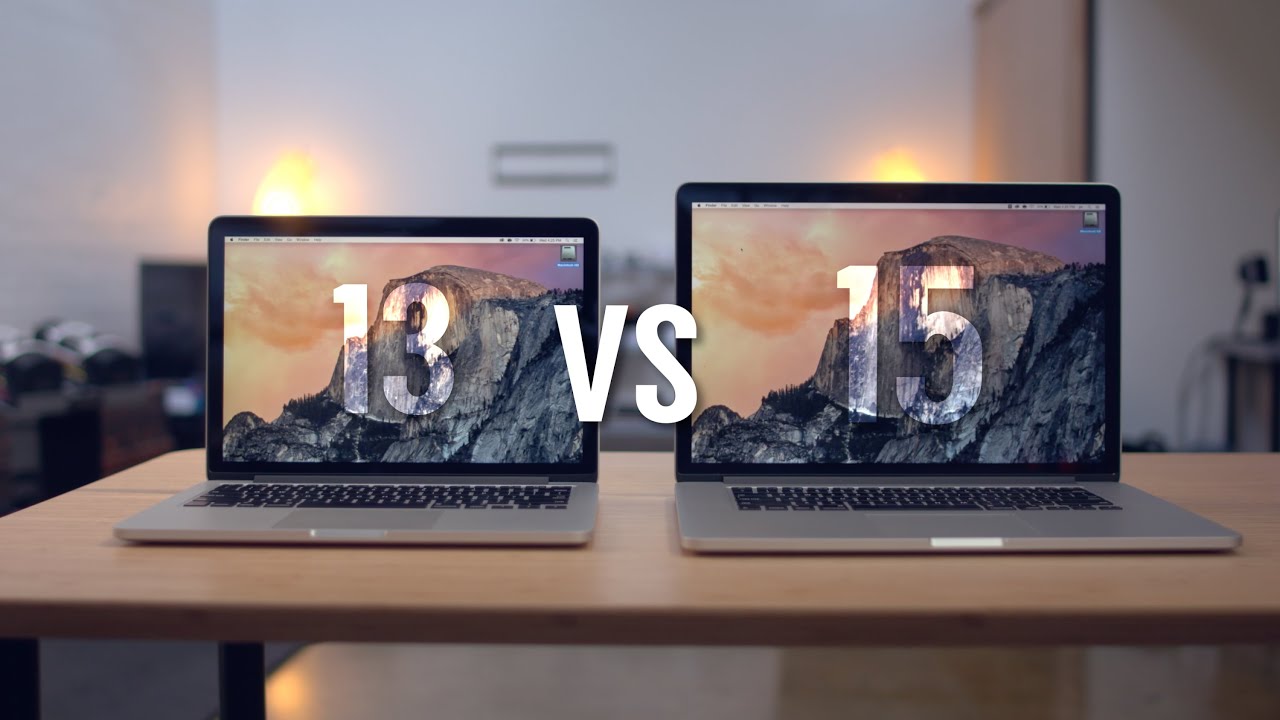 This new design looks and feels a lot like Apple's standard well-regarded trackpads, but trades the top hinge and clickable surface for a new click-free design that mimics the feel of physically depressing the pad by way of haptic feedback. As expected, the system moves to Intel's fifth-generation Core i-series chips, also known by the code name Broadwell. View full gallery Sarah Tew/CNET But the most notable update is the addition of Apple's new. The performance jump from this is small, but the battery life gets a modest boost, and Apple's soldered-in flash memory, similar to the solid-state drives (SSDs) found in other laptops, gets a speed boost as well.
Althought, UltraISO will show you the files before it converts them or extractes them in its window. Remote Operative [ ]. Here's an alternative script using the bash shell: ---------------------------------------------------------------- #!/bin/bash echo 'Converting '$1'.dmg to '$1'.iso:' hdiutil convert '$1'.dmg -format UDTO -o '$1'.iso mv '$1'.iso.cdr '$1'.iso ---------------------------------------------------------------- Save as dmg2iso (Or whatever) and run: chmod +x dmg2iso To use: $ dmg2iso image You don't have to include the '.dmg' bit. It's assumed. The output file will be: image.iso Enjoy. Commandus [ ]. Contrary to what the original poster is saying, there indeed is a small application which you can download from called dmg2iso.
Mac Dmg Install
Extract the file on your pc and run the exe from a cmd promt. Hit win+R, type 'cmd' and browse with cd to the dir where you extracted dmg2iso. Type 'dmg2iso.exe' and follow the syntax.
If you're on a pc, have a dmg and happen to not have a mac around it is possible to convert the file to an iso and then either open and exctract the file(s) with winrar or burn the iso to a cd/dvd. To those trying to tell your pc to run a command that lives within a unix tree. Good luck to you.
Dmg File To Iso
Stand away from the start button. I think there is some confusion between naming something '.iso' (which, if a.cdr image, is then burnable in Windows) and the actual ISO-9660 *filesystem*, with or without the Joliet extensions, which is an actual burnable, mountable and useable VOLUME in Windows. If you do this: hdiutil convert /path/to/filename.dmg -format UDTO -o /path/to/savefile.iso or more properly this: hdiutil convert -format UDTO -o /path/to/outfile /path/to/source.dmg You end up with the same thing: A.cdr disc image.
Dmg To Iso Free
Leave the '.iso' off to see. So why not just make a.cdr ('CD/DVD Master') from Disk Utility in the first place (or select a.dmg and pick Convert in Disk Utility) and rename the.cdr to.iso? It's the exact same thing. But the resulting burned CD has only 1 filesystem - HFS+ (Mac OS Extended) that is not very useful in other OSes. But for Windows compatibility (a CD or volume you can actually mount) you want the ISO-9660 *filesystem*, with or without the 'Joliet extensions' to the ISO specification.
Monitor your Mac from Anywhere Cloud-based Remote Spy Software for your Mac - Monitor Today! The #1 remote Mac spy software, Realtime-Spy is a cloud-based, high-tech Mac OS X and macOS computer monitoring software solution that logs everything your child or employee does on your Mac. With monitoring software, track a user's online activity, from web browsing history to chat and email messages. While monitoring software can be used legitimately, it also has deceptive uses, such.  Scrutinize your kids, teen, employees and loved one all activities effortless through TOS MAC spy software. TheOneSpy is the state of the art monitoring tools which enable you to keep an eye on activities perform on your MAC target device. This is the ultimate and reliable monitoring software for parents, employers and for loved ones who are. SPYERA Mac computer spy software is an application that you install on to a Mac to supervise the processes and activities that take place on a particular machine or computer network.