Lightworks Video Editor For Mac
Lightworks is an Academy and Emmy award winning professional-grade non-linear editor that, in the past 25 years, has been used to edit numerous large-scale feature films including but not limited to Pulp Fiction, Batman, and The King’s Speech. Traditionally marketed as a turnkey solution for production studios, Lightworks was not available to the general public until 2013, when it was astonishingly offered as a free download for Windows users. Eventually the software was ported to Linux and Mac with promises of open source code in the near future, making Lightworks the only professional, open-source, cross-platform video editor. With this broader scope came a quiet restructuring of Lightworks’ roadmap which as of this writing has yet to be sufficiently addressed by EditShare, the current owner of Lightworks. While Lightworks is still technically free (as in beer), it’s utility as free software is dubious at best, and it’s future as open-source software is uncertain. Depending on your expectations, philosophy, and available resources, Lightworks may or may not be a wise investment for your production studio.
Another notable aspect of the program is it's the only professional video editing software that is available on all the major operating systems, including Windows, Mac and Linux. Lightworks is a very good alternative to big name professional video editing applications. Another notable aspect of the program is it's the only professional video editing software that is available on all the major operating systems, including Windows, Mac and Linux. Lightworks is a very good alternative to big name professional video editing applications. Lightworks Pro 14.0.0 is a full-featured editor with all the power, performance and features you would expect. Is a comprehensive and powerful cross-platform utility that aims to make it as simple as possible for you to create and edit video files without having your Mac’s resources constantly drained. Lightworks for Mac OS X Lightworks Console Drivers. For over 25 years Lightworks editor has been at the forefront of film editing, having been used on many of the finest films in cinema history: The Wolf of Wall Street, LA Confidential, Pulp Fiction, Heat, Road to Perdition, Hugo, The King’s Speech and many more! Export video for. Lightworks Filmroa for Mac(Originally Wondershare Video Editor for Mac) alternative allows you to share your finished masterpiece directly from the program with your friends worlwide on YouTube, Facebook, Twitter instantly.
Lightworks Powerful Free Video Editor
 Where Lightworks excels While I jokingly refer to the Lightworks interface as UI by Playskool, this is not “My First Video Editor”. Lightworks is a remarkably powerful application, with tools designed for speedy and precise editing. The trimming tools are in the same league as Avid, and the keyboard controls are natural and intuitive.
Design elements aside, Lightworks feels quite similar to Avid overall, and that’s a very good thing considering Avid is still the de facto editing solution for industry professionals. It isn’t much of a stretch to move from Avid to Lightworks, though Final Cut and Premiere users will likely encounter a short but steep learning curve. Once mastered, the superb keyboard controls make editing in Lightworks fast and fun.  Lightworks also comes equipped with a surprisingly powerful node-based compositor including a wide range of built-in and community-made effects. It certainly doesn’t rival a dedicated effects program, but can still pull off some amazing movie magic. While development has slowed considerably, the software has improved vastly in the years I’ve been using it, with key features such as the media manager being completely overhauled.
Maintaining a Checkbook Register is crucial for staying on top of your financial well-being and re-assuring yourself with up-to-date information of your spending. It also keeps a check on your extra spending habits, as you are forced to look at where the money is going and how much you are left with. Check register template for excel for mac.

It is exciting to see the program evolve and mature over time. Where Lightworks falls short For being a professional-oriented application, Lightworks is surprisingly unstable.
Cleaner is the only free app that offers memory optimization and disk cleaning to help you speed up your Mac. It also features a large-file scanner that finds all large files (customizable size) on your Mac's disk. 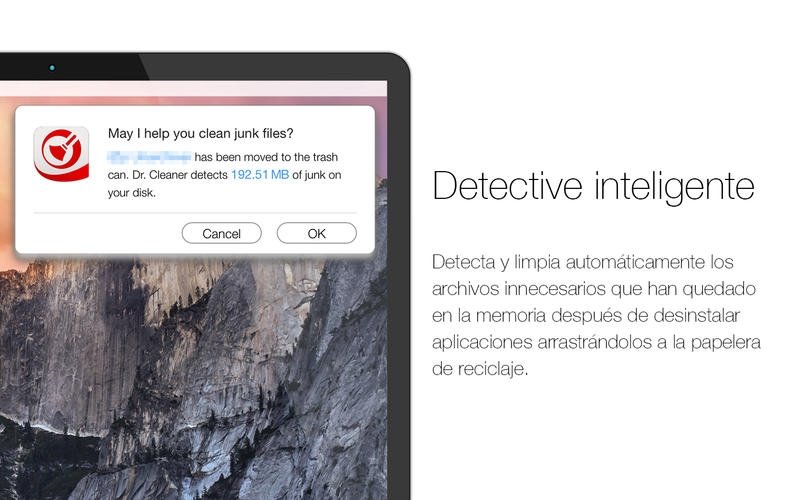 I present to you Dr. Cleaner Pro for Mac. Some of you might heard of it a few years back, either way, this version of Dr Cleaner is the best one yet if you are looking to speed up your Mac instantly while at the same time protecting it against other problems. Cleaner Pro is the professional version of Dr. Cleaner Pro also includes Duplicate Finder and App Uninstaller. 1-click memory optimization. Cleaner for Mac is a versatile and convenient utility to have on your machine. It's free to install and use without limits, and even though it wasn't successful at removing all items it deemed. More about Dr Cleaner. The current version of the program is 3.0.3 and it has been updated on. Dr Cleaner is available for users with the operating system Mac OS X and following versions, and you can get it in several languages like English, Spanish, and German.
In all of my time with the program, across multiple versions and computers, I’ve experienced frequent crashes, maddening bugs, and a particularly bizarre instance in which I was locked out of one of my projects. This instability makes it difficult to depend on Lightworks in a deadline-focused production environment. Traditionally Lightworks has run on tightly controlled systems, so I have faith that stability will continue to improve as more users with varying workstations report issues. Where Lightworks excels at cutting and trimming video, it fails in audio. Audio adjustments are awkwardly split between track and clip settings, and panning is limited to a global mixer that can’t be key-framed. It could be argued that Lightworks is not an audio editor, but for most small productions it kind of needs to be.