How To Change Apple Language On Word For Mac 2011
With Office 2011 for Mac, you can check spelling and grammar in languages other than English. Word 2011 for Mac comes with foreign-language dictionaries such as Czech, French, Russian, and you can also change the ‘brand’ of English (UK, US, Australian). Steps To Change Dictation Language On Apple Watch Step 1. First of all, you need to launch any third-party app that lets you speak text, such as Messages, Slack or Fb Messenger, to name just a few.
Complete walkthrough to reset/change language on Apple TV; you’ve must require this way if you accidentally changed the language to one that you don’t understand or you need another language on your Apple TV.
How To Change The System Language Under OSX! The easiest way to change the main system language under OSX and it's embedded applications! First published on the 05th of February 2010 Albeit rarely necessary, it still happens that one would like to change the 'Main-System-Language' and with it the language for numerous embedded key applications like for example Mail, Address Book, iCal etc., under Mac OSX.
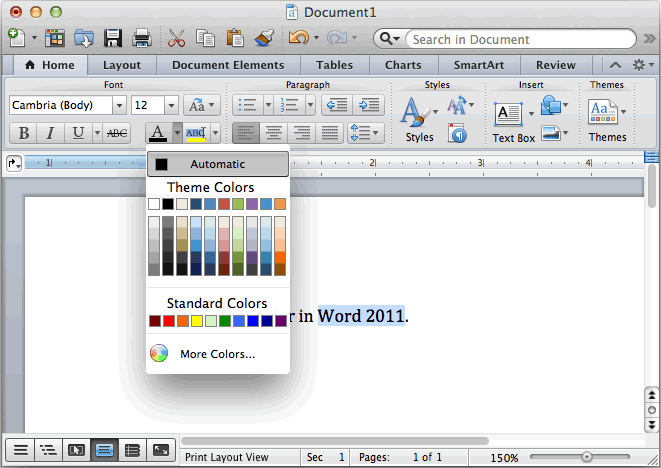
How To Change Language On Word For Mac
To get the maximum out of Mac OSX and/or to have access to the largest possible amount of Know-How and/or Software for Mac OSX, we are recommending to seriously consider accepting English 'The Computer Language' and thus as your main system language for your electronic devices, no matter whether it's your mobile phone, your computer etc. This recommendation applies at least to those high-end users with a need or a demand for the most sophisticated edge technology at the time. Step by Step tutorial to change the system language in OSX!
It's available for download free of charge, though it requires an eFax or j2 account in order to function. It also works with Apple's Address Book application. Efax messenger download for mac.
How To Change Apple Language On Word For Mac 2011
Please execute the steps as described hereafter precisely, carefully and in the correct order of their numeration: 1. Click on the 'Apple Logo' in the main menu bar, and open 'System Preferences'. In System Preferences choose the ' International' preference pane. As you can see it’s really easy now to change the languages of your system. For demonstration purposes I will switch the system language from English to Chinese 'By dragging the Simplified Chinese on top of English'.
Step 6: If your coupon worked properly, please be sure to give us feedback so we know that all of our discounts are current.