Microsoft Remote Desktop Manager For Mac
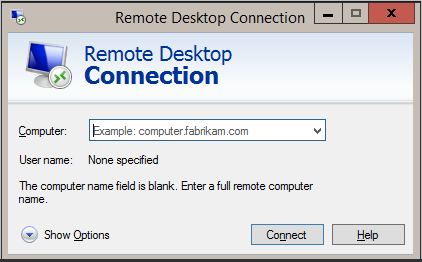
I've managed to connect to the 8.1 preview build 9431 with my Mac Remote Desktop Connection. Here's what I did: • Make sure the firewall allows the RDP connection (already stated before) • Open the Management Console (mmc.exe) • Add the 'Local Computer Policy' snap-in • Goto: - Computer Configuration - Administrative Templates - Windows Components - Remote Desktop Services - Remote Desktop Session Host - Security • Change the following two settings from their default (be aware that there might be a reason that MSFT has decided to set them to default. Mac cc powder. It might be advisable to revise those settings after a new Mac RDP client has been released) - 'Require use of specific for remote desktop (RDP) connections' from 'Default' to 'Enabled', then select 'RDP' in the options pane - 'Require user authentication for remote connections by using Network Level Authentications' to 'Disabled' • Restart the 'Remote Desktop Service' or simply restart the computer • Voila! I can use my Mac RDP client 2.1.1 (110309) with Windows 8.1 build 9431.
To create a remote desktop connection: In the Connection Center, click + and then click Add PC or Server. Enter the following information: PC name - the name of the computer. This can be a Windows computer name (found in the System settings), a domain name, or an IP address. Remote Desktop Manager is cross-compatible with multiple platforms, including Windows, Mac, Android, and iOS. You can use Remote Desktop Manager on any device to control as many sessions as you need, while taking control of many other platforms. For Mac users, the stalwart tool has been the Microsoft Remote Desktop connection. Available now through the Mac App store, it allows users to remotely connect to a Windows desktop to access local.
Pdf alternative for mac. ISkysoft PDF Converter Pro for Mac (or iSkysoft PDF Converter for Windows) can also be a highly recommended Adobe Acrobat alternative, which helps you to convert native and scanned PDF to Word, Excel, PPT, EPUT, and other formats. Acrobat Alternative: The 2018 Best Mac PDF Editor Replacement Business • Updated on June 4, 2018 T oday, editing a PDF becomes a routine when you are desk-bound to work on files. PDF Expert This is another good alternative to Adobe Acrobat for Mac. Apart from editing PDF, PDF Expert for Mac can also perform other functions such as merging and splitting PDFs, annotating and sharing PDF files, creating PDF forms, and converting PDF to and from other file formats. Alternatives to PDFwriter for Mac for all platforms with any license Adobe Acrobat DC Adobe Acrobat is a family of application software and web services developed by Adobe Systems to view, create, manipulate, print and manage files in Portable Document.
Microsoft Remote Desktop Manager For Mac
I've managed to connect to the 8.1 preview build 9431 with my Mac Remote Desktop Connection. Free keylogger 2018. Here's what I did: • Make sure the firewall allows the RDP connection (already stated before) • Open the Management Console (mmc.exe) • Add the 'Local Computer Policy' snap-in • Goto: - Computer Configuration - Administrative Templates - Windows Components - Remote Desktop Services - Remote Desktop Session Host - Security • Change the following two settings from their default (be aware that there might be a reason that MSFT has decided to set them to default. It might be advisable to revise those settings after a new Mac RDP client has been released) - 'Require use of specific for remote desktop (RDP) connections' from 'Default' to 'Enabled', then select 'RDP' in the options pane - 'Require user authentication for remote connections by using Network Level Authentications' to 'Disabled' • Restart the 'Remote Desktop Service' or simply restart the computer • Voila! I can use my Mac RDP client 2.1.1 (110309) with Windows 8.1 build 9431.