Canon Pixma Ip100 Driver For Mac
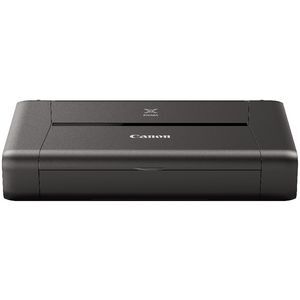
Canon PIXMA iP100 PIXMA iP100 is a Professional Inkjet Photo Printer that has more pressure than ever before to be able to do business just about anywhere you want to. This iP100 Mobile printer is sturdy and compact, ready to deliver exceptional quality and print portability anywhere. Canon PIXMA iP100 Software and Driver Download for Windows, Mac OS, and Linux In this website, the owner of canonsoftwaredriver.com has listed you much more driver, software, and user manual what you need to download for Canon iP100 printer. Download the driver setup of Canon PIXMA iP100 and install it in your computer by following all of the instruction for the installation progress. Then connect the USB cable of Canon PIXMA iP100 when the installation of the driver setup is already finished. Canon PIXMA iP100 Driver Download – Canon iP100 Precision photo and document printing wherever you are. Print files and photo lab top quality pics where ever you will be while using the PIXMA iP100.
Canon iP100 Printer Review & Installation without CD Canon iP100 Software Driver Download & Manual Setup – The is most current as well as best variation of a mobile printer, literally much like the Pixma iP90v, which it changes. (The iP90v was basically similar to the Pixma iP90, which I evaluated in very early 2005). The iP100 is a remarkably far better printer compared to its precursor, nonetheless, with a faster rate as well as much better paper handling. It additionally provides rather much better web page returns from its cartridges, so you will not lack ink as frequently. Adobe lightroom 4 free download for mac. More crucial, probably, the iP100 contrasts positively in the majority of methods with its most straight competitors, the HP H470 Mobile Printer. Canon iP100 Software Features Weighing in at 4.4 extra pounds on its own, or 5.1 extra pounds with its Air Conditioning adapter and also a power cable, the iP100 is much heavier compared to some notepads and a little bigger, at 2.4 by 12.7 by 7.2 inches (HWD).
McAfee Total Protection is one of the best bargains among the options for antivirus and malware-protection software—but only for the first year. Its introductory rate of $45 includes a one-year. Avira for mac.
Canon Pixma Ip100 Manual Download
Still, it’s a whole lot smaller sized and also lighter compared to a desktop computer printer. It’s also a little smaller sized total compared to the H470, although both have to do with the very same weight. Regardless of its small dimension, nevertheless, it could go basically toe to toe with desktop computer inkjets for rate and also outcome high quality. It also consists of a PictBridge port for straight printing from cams. This device will certainly print draft high-quality message files at 10.3 web pages each min, reducing just somewhat to 9.2 ppm when the high quality is boosted to typical.
Canon Pixma Ip100 Driver Download
Text files with highlighted histories and also visual components slow down the printer a little; to 6.19 ppm as well as 4.8 ppm at a draft and also typical top quality, specifically. The iP100 is additionally a very qualified picture printer, taking care of to generate a typical 4x6in image in 42.7 sec and also an A4 picture in less than 2 mins. These rates are a significant renovation over previous Canon mobile printers as well as virtually dual those of the H470b.
Canon iP100 Driver Compatibility & System Requirements Windows 10 (32bit / 64bit), Windows 8.1(32bit / 64bit), Windows 8(32bi / 64bitt), Windows 7(32bit / 64bit), Windows Vista(32bit / 64bit), Windows XP SP2 or later, Windows XP x64 Edition, Mac OS X 10.11 / 10.10 / 10.9 / 10.8 / 10.7, Linux OS Canon iP100 Wireless Connection Before to connecting the equipment to the network, the computer should be attached to the network. See to it that arrangement of the computer as well as gain access to point or router is total. Data anlaysis tool for excel mac youtube.
Canon Pixma Ip100
• The setup, router features, setup treatments and also safety setups of the network tool vary relying on your system setting. For details, refer to your tool’s user’s manual or contact its producer. • In an office arrangement, consult your network manager • If you attach to a network that is not secured with protection steps, there is a danger of revealing data such as your individual details to a 3rd party. • If a mistake message appears or if you have difficulty with the network connection, refer to the printed manual: Network Setup Troubleshooting. • Place the equipment and computer on the very same network segment.